Table of Contents
TAU (Tuning and Analysis Utilities) is a portable profiling and tracing toolkit for performance analysis of parallel programs written in Fortran, C++, C, Java and Python. The model that TAU uses to profile parallel, multi-threaded programs maintains performance data for each thread, context, and node in use by an application. The profiling instrumentation needed to implement the model captures data for functions, methods, basic blocks, and statement execution at these levels. All C++ language features are supported in the TAU profiling instrumentation including templates and namespaces, which is available through an API at the library or application level. The API also provides selection of profiling groups for organizing and controlling instrumentation. The instrumentation can be inserted in the source code using an automatic instrumentor tool based on the Program Database Toolkit (PDT), dynamically using DyninstAPI, at runtime in the Java virtual machine, or manually using the instrumentation API. TAU's profile visualization tool, paraprof, provides graphical displays of all the performance analysis results, in aggregate and single node/context/thread forms. The user can quickly identify sources of performance bottlenecks in the application using the graphical interface. In addition, TAU can generate event traces that can be displayed with the Vampir or Paraver trace visualization tools. This chapter discusses installation of the TAU portable profiling package.
Some tau options allow external resources to be automatically downloaded and built when TAU is configured. To obtain these resources in a single package download http://tau.uoregon.edu/ext.tgz and unpack it in TAU's root directory. When you configure TAU with:
-
-bfd=download -
-unwind=download -
-ompt=download
these packages will be provided by the ext.tgz package and no additional network activity will be required.
Each TAU configuration results in a single
Makefile. These Makefiles denote
the configuration that produced it and is used by the user to select
the TAU libraries/scripts associated with its configuration. (These
makefiles are named after the configuration options, ie. TAU configured with
MPI, PDT, PGI compilers and the '-nocomm' option is named:
Makefile.tau-nocomm-mpi-pdt-pgi). On most machines
several configuration of TAU will need to be built in order to take full
advantage of the many features of TAU. This section should help you
decide on the smallest set of configuration you will need to build.
The options used to configure TAU can be grouped into two categories:
-
External packages: TAU will use these when instrumenting or measuring an application. Configuring with these options does not force the user to use these packages, ie: configuring with PDT does not force the user to use source code based instrumentation (they can use compiler based instrumentation instead). Similarly configuring with PAPI does not forces the user to select any PAPI counters when profiling.
![[Note]](note.png)
Note The only exception is configuring with the epilog (scalasca) tracing package. This will replace the TAU tracer with the epliog one, a single configuration cannot use both tracers.
For this reason it is recommend that you configure with every external packages that the user might be interested in using, letting them choose which packages to enable when they go to instrument or measure their application.
-
Compiler and MPI options: these control the behavior of TAU when it compiles the instrumented application. TAU provides compiler wrapper scripts, these options control which compiler TAU will wrap, These options are determinative: select only options that are compatible. For example, when configuring with MPI use a version of MPI compatible with the compiler you select.
Since multiple compiler/MPI libraries cannot be specified for a single configuration, each set of compiler/MPI libraries that you want to use with TAU need to be configured separately.
Note Configurations with different compilers are given separate
Makefilesautomatically, however configurations with different MPI implementations are not. Use the-tag=option to distinguish between different MPIs, ie:-tag=mvapichor-tag=openmpi.
The configure shell script attempts to guess
correct values for various system-dependent variables used during
compilation (compilers and system architecture), other options need to be
specified on the command line.
The following are the most important command-line options are available to configure:
TAU defaults to using any compilers found in the environment. To use a specific compiler use these options:
-
-c++=<C++ compiler>Specifies the name of the C++ compiler. Supported C++ compilers include KCC (from KAI/Intel), CC (SGI, Sun), g++ (from GNU), FCC (from Fujitsu), xlC (from IBM), guidec++ (from KAI/Intel), cxx (Tru64) and aCC (from HP), c++ (from Apple), icpc and ecpc (from Intel) and pgCC (from PGI).
-
-cc=<C Compiler>Specifies the name of the C compiler. Supported C compilers include cc, gcc (from GNU), pgcc (from PGI), fcc (from Fujitsu), xlc (from IBM), and KCC (from KAI/ Intel), icc and ecc (from Intel).
-
-fortran=<Fortran Compiler>Specifies the name of the Fortran90 compiler. Valid options are: gnu, sgi, ibm, ibm64, intel, cray, pgi, absoft, fujitsu, sun, kai, nec, hitachi, compaq, nagware, g95 and hp.
To profile a program that use MPI configure TAU with these options:
-
-mpiWith this option, TAU will try to guess the location of the MPI libraries if the mpirun command is in your path. This does not always work in which case use these more detailed options:
-
-mpiinc=<directory>Specifies the directory where MPI header files reside (such as mpi.h and mpif.h). This option also generates the TAU MPI wrapper library that instruments MPI routines using the MPI Profiling Interface. See the examples/NPB2.3/config/make.def file for its usage with Fortran and MPI programs. MPI
-
-mpilib=<directory>Specifies the directory where MPI library files reside. This option should be used in conjunction with the -mpiinc=<directory> option to generate the TAU MPI wrapper library.
-
-mpilibrary=<lib>Specifies the use of a different MPI library. By default, TAU uses -lmpi or -lmpich as the MPI library. This option allows the user to specify another library. e.g., -mpilibrary=-lmpi_r for specifying a thread-safe MPI library.
-
-mpitActivates MPI-T support in TAU. Use in conjunction with an MPI implementation that supports MPI-T such as MVAPICH or MPICH. To enable collection of PVARS, set TAU_TRACK_MPI_T_PVARS environment variable to 1. To set CVARs, use the two environment variables below in the following fashion:
bash$export TAU_MPI_T_CVAR_METRICS=MPIR_CVAR_VBUF_POOL_CONTROL,MPIR_CVAR_VBUF_POOL_REDUCED_VALUE[1]bash$export TAU_MPI_T_CVAR_VALUES=1,1Note that the METRICS should match exactly with the corresponding VALUES, and the name for the CVAR should be exactly as presented in TAU profiles. Once the above variables are set, use this feature as follows:
mpirun -np 4 tau_exec -T mpi,mpit ./a.out
To profile programs using openmp use -openm and either OPARI option:
-
-openmpSpecifies OpenMP as the threads package to be used. Open MPI
-
-opariThe use of Opari2 source-to-source instrumentor in conjunction with TAU exposes OpenMP events for instrumentation. See examples/opari directory. OPARI
-
-opari1Use this option for the use of the original Opari. Only use this option if -opari fails. OPARI
-
-pdt=<directory>Specifies the location of the installed PDT (Program Database Toolkit) root directory. PDT is used to build tau_instrumentor, a C++, C and F90 instrumentation program that automatically inserts TAU annotations in the source code PDT. If PDT is configured with a subdirectory option (-compdir=<opt>) then TAU can be configured with the same option.
-
-pdt_c++=<C++ Compiler>Specifies a different C++ compiler for PDT (tau_instrumentor). This is typically used when the library is compiled with a C++ compiler (specified with -c++) and the tau_instrumentor is compiled with a different <pdt_c++> compiler. For e.g.,
-arch=craycnl -pdt=/usr/pdtoolkit-3.17 -pdt_c++=g++ ...
uses g++ to compile the tau_instrumentor, for example on CRAY XT5 systems use this option to build TAU any of the backend compilers.
-arch=bgp -pdt=/usr/pdtoolkit-3.17 -pdt_c++=xlC -mpi
uses PDT, MPI for IBM BG/P and specifies the use of the front-end xlC compiler for building tau_instrumentor.
-
-papi=<directory>Specifies the location of the installed PAPI (Performance Data Standard and API) root directory. PCL provides a common interface to access hardware performance counters and timers on modern microprocessors. Most modern CPUs provide on-chip hardware performance counters that can record several events such as the number of instructions issued, floating point operations performed, the number of primary and secondary data and instruction cache misses. To measure floating point instructions, set the environment variable TAU_METRICS to PAPI_FP_INS (for example). This option (by default) specifies the use of hardware performance counters for profiling (instead of time). PAPI
-
-rocmSpecifies configuration with support for AMD ROCm profiling. This option can also be submitted with a directory (-rocm=<directory>) if ROCm is installed somewhere other than the default location of /opt/rocm. When TAU is configured with this option tau_exec can be run with -rocm to automatically capture events and metadata from the ROCm profiling API. ROCm
-
-rocprofiler=<directory>Specifies configuration with support for AMD ROCProfiler data collection. Must be used in conjuction with the -rocm option. Not compatible with the -roctracer option.
-
-roctracer=<directory>Specifies configuration with support for AMD ROCTracer data collection. Must be used in conjuction with the -rocm option. Not compatible with the -rocprofiler option.
-
-rocprofsdkIn conjunction with -rocm provides the functionality of both rocprofile and roctracer, plus rocm pc sampling with the -rocm_pc option for tau_exec. Requires ROCm 6.2 or greater.
-
-level_zeroSpecifies configuration with support for Intel OneAPI's Level Zero. This option can also be submitted with a directory (-level_zero=<directory>). Use in conjunction with the -opencl configuration option as needed. Level Zero
-
-epilog=<directory>Specifies the directory where the EPILOG tracing package EPILOG is installed.This option should be used in conjunction with the -TRACE option to generate binary EPILOG traces (instead of binary TAU traces). EPILOG traces can then be used with other tools such as EXPERT. EPILOG comes with its own implementation of the MPI wrapper library and the POMP library used with Opari. Using option overrides TAU's libraries for MPI, and OpenMP.
-
-otf=<directory>Specifies the location of the OTF trace libraries generation package. TAU's binary traces can be converted to the OTF format using tau2otf, a tool that links with the OTF library.
-
-vtf=<directory>Specifies the location of the VTF3 trace generation package. TAU's binary traces can be converted to the VTF3 format using tau2vtf, a tool that links with the VTF3 library. The VTF3 format is read by Intel trace analyzer, formerly known as vampir, a commercial trace visualization tool developed by TU. Dresden, Germany.
-
-PROFILEPHASEThis option generates phase based profiles. It requires special instrumentation to mark phases in an application (I/O, computation, etc.). Phases can be static or dynamic (different phases for each loop iteration, for instance). See examples/phase/README for further information.
-
-prefix=<directory>Specifies the destination directory where the header, library and binary files are copied. By default, these are copied to subdirectories <arch>/bin and <arch>/lib in the TAU root directory.
-
-arch=<architecture>Specifies the architecture. If the user does not specify this option, configure determines the architecture. For IBM BGL, the user should specify bgl as the architecture. For SGI, the user can specify either of sgi32, sgin32 or sgi64 for 32, n32 or 64 bit compilation modes respectively. The files are installed in the <architecture>/bin and <architecture>/lib directories. Cray options are xt3, craycnl or crayxmt.
-
-tag=<Unique Name>Specifies a tag in the name of the stub Makefile and TAU makefiles to uniquely identify the installation. This is useful when more than one MPI library may be used with different versions of compilers. e.g.,
% configure -c++=icpc -cc=icc -tag=intel71-vmi \ -mpiinc=/vmi2/mpich/include -
-scalasca=<directory>Specifies the directory where the SCALASCA package is installed.
-
-pthreadSpecifies pthread as the thread package to be used. In the default mode, no thread package is used.
-
-opari_regionReport performance data for only OpenMP regions and not constructs. By default, both regions and constructs are profiled with Opari.
-
-opari_constructReport performance data for only OpenMP constructs and not Regions. By default, both regions and constructs are profiled with Opari.
-
-pdtarch=<architecture>Specifies the architecture used to build pdt, default the tau architecture.
-
-papithreadsSame as papi, except uses threads to highlight how hardware performance counters may be used in a multi-threaded application. When it is used with PAPI, TAU should be configured with -papi=<directory> -pthread autoinstrument Shows the use of Program Database Toolkit (PDT) for automating the insertion of TAU macros in the source code. It requires configuring TAU with the -pdt=<directory> option. The Makefile is modified to illustrate the use of a source to source translator (tau_instrumentor).
-
-jdk=<directory>Specifies the location of the installed Java root directory. TAU can profile or trace Java applications without any modifications to the source code, byte-code or the Java virtual machine. See README.JAVA on instructions on using TAU with Java 2 applications. Also the refence guide has more information on the new tau_java tool. This option should only be used for configuring TAU to use JVMTI for profiling and tracing of Java applications. It should not be used for configuring paraprof, which uses Java from the user's path.
-
-apexSpecifies support for the APEX framework. Requires
-pthreador-openmp -ompt=downloadto provide the communication layer. When running an application instrumented with APEX set the runtime environment variable APEX_SCREEN_OUTPUT to 1 to see APEX output. Set the runtime environment variable APEX_TAU to 1 to generate TAU profiles as well. See<tau2>/examples/apex/READMEfor more information. -
-sos=<directory>or-sos=<download>Specify location of an existing SOS_flow or download and configure a new install automatically.
-
-soscomm=<option>When building SOS_flow with -sos=download specifies the communication system to use. The options are
sockets, mpi, or evpath. The default is mpi. -
-beacon=<directory>Build TAU with BEACON support. BEACON allows remote monitoring of performance events and control of program behavior through interfaces such as MPI_T.
-
-dyninst=<directory>or-dyninst=<download>Specifies the directory where the DynInst dynamic instrumentation package is installed, or instructs TAU to download and configure a new install automatically. Using DynInst, a user can invoke tau_run to instrument an executable program at runtime or prior to execution by rewriting it. DyninstAPIPARA-DYN.
-
-vampirtrace=<directory>Specifies the location of the Vampir Trace package. With this option TAU will generate traces in Open Trace Format (OTF). For more information, see Technische Universitat Dresden
-
-scorep=<directory>or-scorep=<download>Specify location of an existing Score-P package or download and configure a new install automatically. Set the enviroment varible SCOREP_PROFILING_FORMAT to TAU_SNAPHOT so that Score-P will output Tau Snapsot profiles.
-
-shmeminc=<directory>Specifies the directory where shmem.h resides and specifies the use of the TAU SHMEM interface.
-
-shmemlib=<directory>Specifies the directory where libsma.a resides and specifies the use of the TAU SHMEM interface.
-
-shmemlibrary=<lib>By default, TAU uses -lsma as the shmem/pshmem library. This option allows the user to specify a different shmem library.
-
-ittnotifyEnables the -ittnotify option for tau_exec. This allows TAU to capture timers instrumented with Intels ITTNotify library. See examples/ittnotify and examples/pytorch/ittnotify.
-
-nocommAllows the user to turn off tracking of messages (synchronous/asynchronous) in TAU's MPI wrapper interposition library. Entry and exit events for MPI routines are still tracked. Affects both profiling and tracing.
-
-cuda=<directory>Specifies the location of the top level CUDA SDK
-
-gpi=<directory>Specify use of TAU's GPI wrapper library.
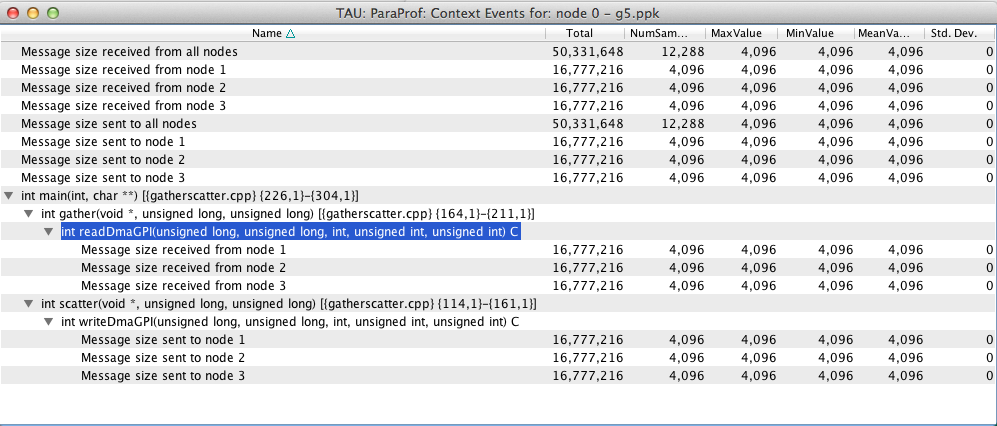
It works well with PDT and compiler based instrumentation of the source code and there is a wrapper interposition library that is linked in to track the communication of GPI. It is important to specify all TAU runtime options in the tau.conf file that must reside in the current working directory where the executable is stored and launched from. This is important because the worker tasks are spawned by the GPI daemon on remote nodes and do not inherit the user's working directory or the environment. So, options such as TAU_TRACE=1, and sampling must be specified in the tau.conf file.
-
-opencl=<directory>Specifies the location of the OpenCL package
-
-armci=<directory>Specifies the location of the ARMCI directory
-
-epiloglib=<directory>Specifies the directory of where the Epilog library is to be found. Ex: if directory structure is:
/usr/local/epilog/fe/lib/let the install options be:-epilog=/usr/local/epilog -epiloglib=/usr/local/epilog/fe/lib. -
-epilogbin=<directory>Specifies the directory of where the Epilog binaries are to be found.
-
-epiloginc=<directory>Specifies the directory of where the epilog's included sources headers are to be found.
-
-MPITRACESpecifies the tracing option and generates event traces for MPI calls and routines that are ancestors of MPI calls in the callstack. This option is useful for generating traces that are converted to the EPILOG trace format. KOJAK's Expert automatic diagnosis tool needs traces with events that call MPI routines. Do not use this option with the -TRACE option.
-
-python[3][=<directory>]Configure TAU with Python instrumentation support based on the python[3] detected in the environment. Alternatively provide a path to the location of a python interpreter to configure TAU to use that install of Python.
-
-pythoninc=<directory>Specifies the location of the Python include directory. This is the directory where Python.h header file is located. This option enables python bindings to be generated. The user should set the environment variable PYTHONPATH to <TAUROOT>/<ARCH>/lib/bindings-<options> to use a specific version of the TAU Python bindings. By importing package pytau, a user can manually instrument the source code and use the TAU API. On the other hand, by importing tau and using tau.run(`<func>'), TAU can automatically generate instrumentation. See examples/python directory for further information.
-
-pythonlib=<directory>Specifies the location of the Python lib directory. This is the directory where *.py and *.pyc files (and config directory) are located. This option is mandatory for IBM when Python bindings are used. For other systems, this option may not be specified (but -pythoninc=<directory> needs to be specified).
-
-PROFILEMEMORYSpecifies tracking heap memory utilization for each instrumented function. When any function entry takes place, a sample of the heap memory used is taken. This data is stored as user-defined event data in profiles/traces.
-
-PROFILECOMMUNICATORSThis option generates MPI information partitioned by communicators. TAU lists upto 8 ranks in each communicator in the listing.
-
-PROFILEHEADROOMSpecifies tracking memory available in the heap (as opposed to memory utilization tracking in -PROFILEMEMORY). When any function entry takes place, a sample of the memory available (headroom to grow) is taken. This data is stored as user-defined event data in profiles/traces. Please refer to the examples/headroom/README file for a full explanation of these headroom options and the C++/C/F90 API for evaluating the headroom.
-
-COMPENSATESpecifies online compensation of performance perturbation. When this option is used, TAU computes its overhead and subtracts it from the profiles. It can be only used when profiling is chosen. This option works with MULTIPLECOUNTERS as well, but while it is relevant for removing perturbation with wallclock time, it cannot accurately account for perturbation with hardware performance counts (e.g., L1 Data cache misses). See TAU Publication [Europar04] for further information on this option.
-
-PROFILECOUNTERSSpecifies use of hardware performance counters for profiling under IRIX using the SGI R10000 perfex counter access interface. The use of this option is deprecated in favor of the -pcl=<directory> and -papi=<directory> options described above.
-
-noexSpecifies that no exceptions be used while compiling the library. This is relevant for C++.
-
-useropt=<options-list>Specifies additional user options such as -g or -I. For multiple options, the options list should be enclosed in a single quote. For example
%./configure -useropt='-g -I/usr/local/stl' -
-mrnet=<mrnet source root>Base location of the MRnet package.
-
-mrnetlib=<mrnet libraries>Path to the MRnet libraries.On some cluster systems the MRnet libraries need to available to the runtime system (ie. on the lustre filesystem.)
-
-scorep=<scorep subsystem>Path to the Score-P measurement system. Set the enviroment varible SCOREP_PROFILING_FORMAT to TAU_SNAPHOT so that Score-P will output Tau Snapsot profiles.
-
-helpLists all the available configure options and quits.
To install multiple (typical) configurations of TAU at a site, you may use the script `installtau'. It takes options similar to those described above. It invokes ./configure <opts>; make clean install; to create multiple libraries that may be requested by the users at a site. The installtau script accepts the following options:
% installtau -help

TAU Configuration Utility
***************************************************
Usage: installtau [OPTIONS]
  where [OPTIONS] are:
-arch=<arch>
-fortran=<compiler>
-cc=<compiler>
-c++=<compiler>
-useropt=<options>
-pdt=<pdtdir>
-pdtcompdir=<compdir>
-pdt_c++=<C++ Compiler>
-papi=<papidir>
-vtf=<vtfdir>
-otf=<otfdir>
-dyninst=<dyninstdir>
-mpi
-mpiinc=<mpiincdir>
-mpilib=<mpilibdir>
-mpilibrary=<mpilibrary>
-perfinc=<directory>
-perflib=<directory>
-perflibrary=<library>
-mpi
-tag=<unique name>
-opari=<oparidir>
-epilog=<epilogdir>
-epiloginc=<absolute path to epilog include dir> (<epilog>/include default)
-epilogbin=<absolute path to epilog bin dir> (<epilog>/bin default)
-epiloglib=<absolute path to epilog lib dir> (<epilog>/lib default)
-prefix=<directory>
-exec-prefix=<directory>
-j=<num processes for parallel make>  (just -j for full parallel)

******************************************************************
These options are similar to the options used by the configure script.
This script is provided to rebuild all TAU configurations previously built in a different TAU source directory. Give this command the location of a previous version of tau followed by any additional configurations and it will rebuild tau with these same options.
This script will attempt to validate a tau installation. Its only argument is TAU's architecture directory. These are some options:
-
-v Verbose output
-
--html Output results in HTML
-
--build Only build
-
--run Only run
Here is a simple example:
bash : ./tau_validate --html x86_64 &> results.html
tcsh : ./tau_validate --html x86_64 >& results.html