TAU - Tuning and Analysis Utilities -

Tuning and Analysis Utilities

TAU

PRL

Chapter 5. Eclipse PTP / CDT plugin System

5.1. Installation

Be certain that the PTP/CDT/FDT plugin is installed and running properly in your eclipse installation. Use Tau's perfdmf_configure utility to set up a performance database for Eclipse to store profile output.

Run the install_plugins.sh script located in [tau installation]/tools/src/eclipse with the location of your eclipse installation. e.g: ~/tau2/tools/src/eclipse/install_plugins.sh /opt/eclipse

Restart eclipse with the -clean flag after installing the plugins.

[Note] Note

By default Eclipse will detect the presence of TAU on your system and configure itself appropriately. Only if this fail will you need to setup the TAU perferences.

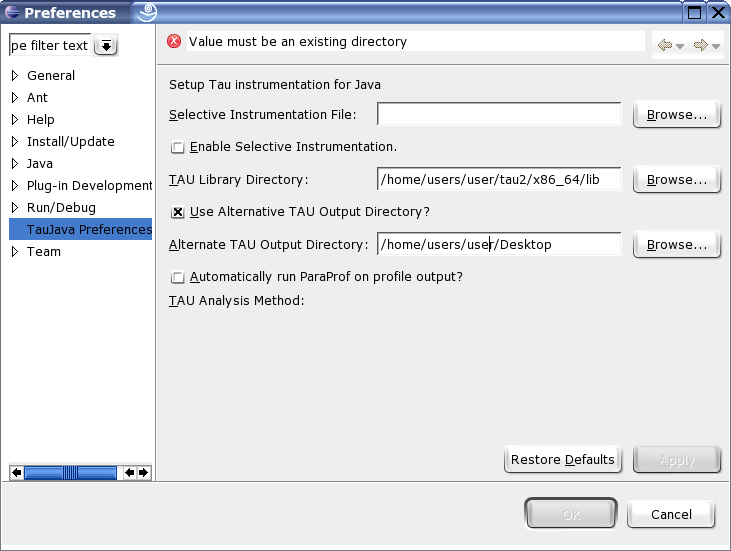
In eclipse go to the Window menu, select Preferences and go to the Tau preferences section. If the PTP is available the TAU section will be under the PTP menu. Enter the location of the desired architecture directory in your Tau installation in the Tau Arch Directory field.

Figure 5.1. TAU Setup

TAU Setup