
|

|

|
|
A Scenario |
|||
| [Home] [Overview] [Architecture] [Scenario] [People] [Publications] | |||
(TIERRA)
|
|
|
|
|
A Scenario |
|||
| [Home] [Overview] [Architecture] [Scenario] [People] [Publications] | |||

|
Launching The Environment |
|
|
Experimental Geometry Verification |
|
|
Ray Path Validity Check |
|
|
Sampling Quality Check and Carving |
|
|
Verification Of The Inversion Matrix |
|
|
Searching The Model Constraint Space |
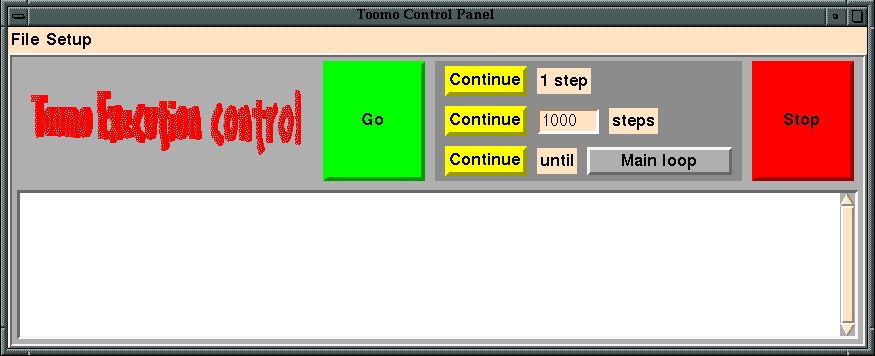
When the environment is launched, the main control panel (above) allows users to specify the input data files and initial values for model parameters. Once all of the input files and model parameter values have been specified, the user presses the "Go" button to launch the tomography application.
Experimental Geometry Verification
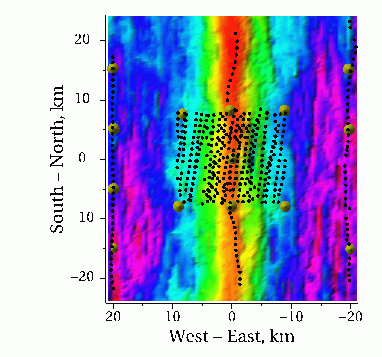
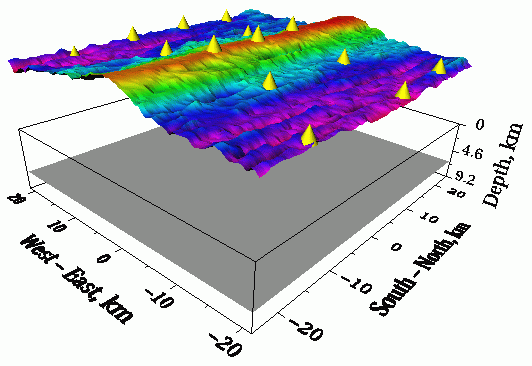 After the application has loaded the input data and performed some initialization, the execution pauses at a DAQV yield point. The seismologist then examines the experimental geometry using a 3D interactive visualization (right and far right) implemented with VIZ. The relative positions of the sources (black spheres) , receivers (yellow cones), bathymetry (multi-colored surface), and velocity model (box) are easily verified for correctness. If the experimental geometry is correct, the user presses "Continue" to resume execution.
Ray Path Validity Check
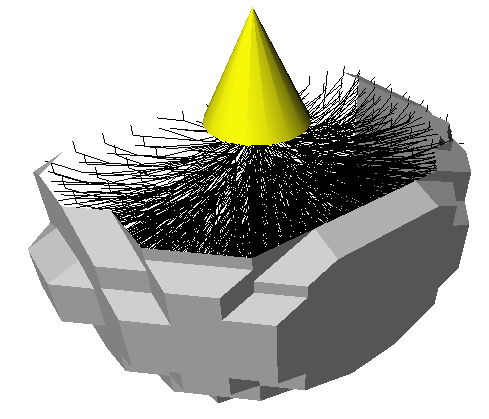 The program pauses at the next DAQV yield point when it reaches the seismic raytracing calculation. At this point the user may step through the calculation, observing the propagation of ray paths and their corresponding travel-time wave front (at right). The user may verify that the rays sample the correct portions of the model and do not propagate along obviously non-physical trajectories. When the user is satisfied that the raytracing is working properly, he/she presses "Continue" and execution resumes.
Sampling Quality Check and Carving
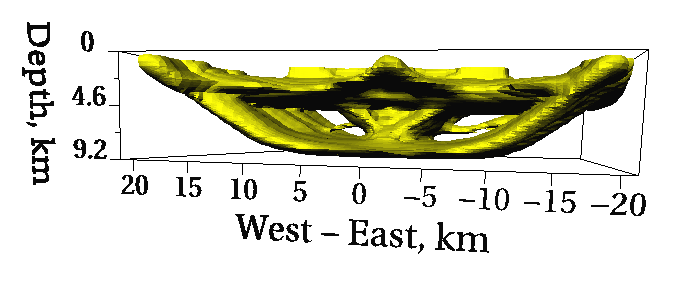 The program continues to execute until it finishes calculating a starting model misfit and a derivative weight sum. At this point the user can study an isosurface visualization of the derivative weight sum (at right), to evaluate the sampling quality of the travel-time data.
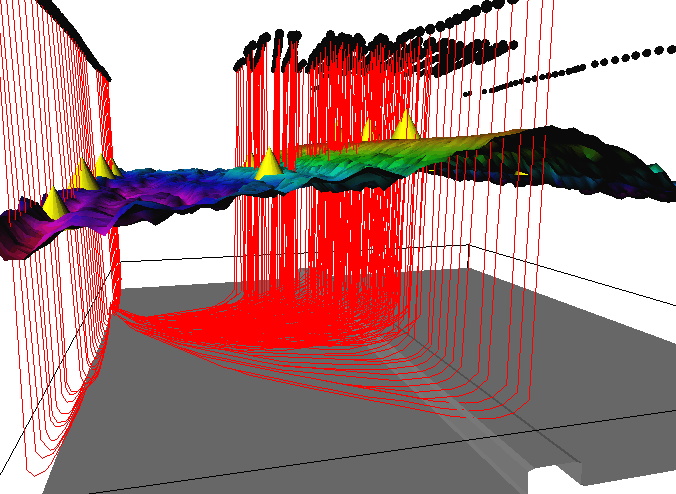 If the sampling quality is satisfactory, the individual ray paths (at right) can be inspected to determine portions of the model that may be "carved" out. Carving unsampled portions of the model optimizes the performance of the ray tracing code for future iterations. The user may carve out the appropriate regions of the velocity model by performing on-line mutations to program data. The sample image (at right) shows a carved region (grey isosurface) and the individual ray paths for a single receiver (red lines).
Verification Of The Inversion Matrix
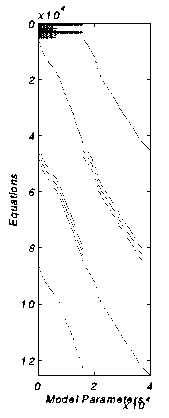 When the user presses "Continue", the computation is advanced to the inversion phase. At this time, the program pauses to let the user inspect the large, sparse, inversion matrix, G. The 2D Matlab plot (at right) will reveal any obvious errors in loading the matrix with the medium derivatives and model constraint parameters. Once satisfied that the inversion matrix is correct, the user again presses "Continue" and a model inversion is computed.
Searching The Model Constraint Space
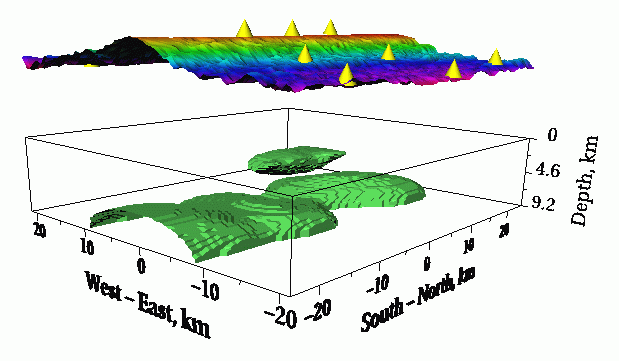
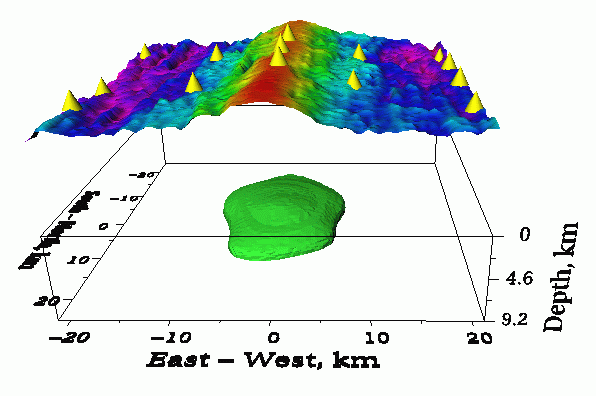
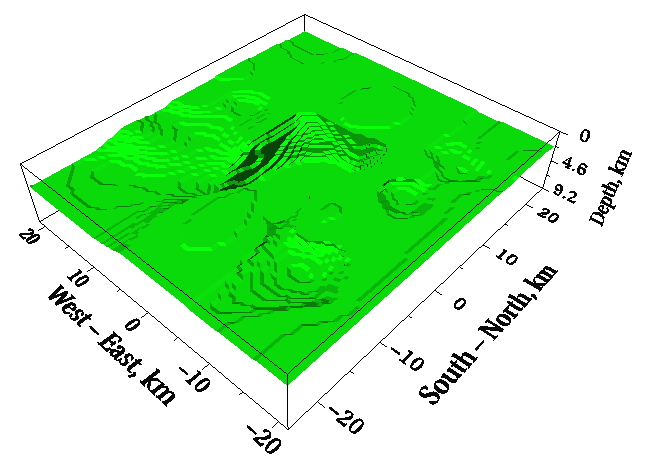 The inversion calculation solves
  for a velocity model perturbation,
  (above left). This perturbation is then added to the cumulative total perturbation (above right). The total perturbation is added to the starting velocity model, yielding a new initial velocity model (right) that hopefully approximates the Earth's structure closer than the one before. This completes one iteration of the application. Before proceeding to the next iteration, the user may choose to modify the new initial model and/or the perturbation model by selecting regions of the model space with the mouse. The user may also choose to modify the values of model constraint parameters. Several more iterations of the application are performed as described, while the user searches the model constraint parameter space for the most plausible velocity model having the smallest data misfit.